rag for agents digitalocean knowledge base llm external retrieval agent validation negative control testing
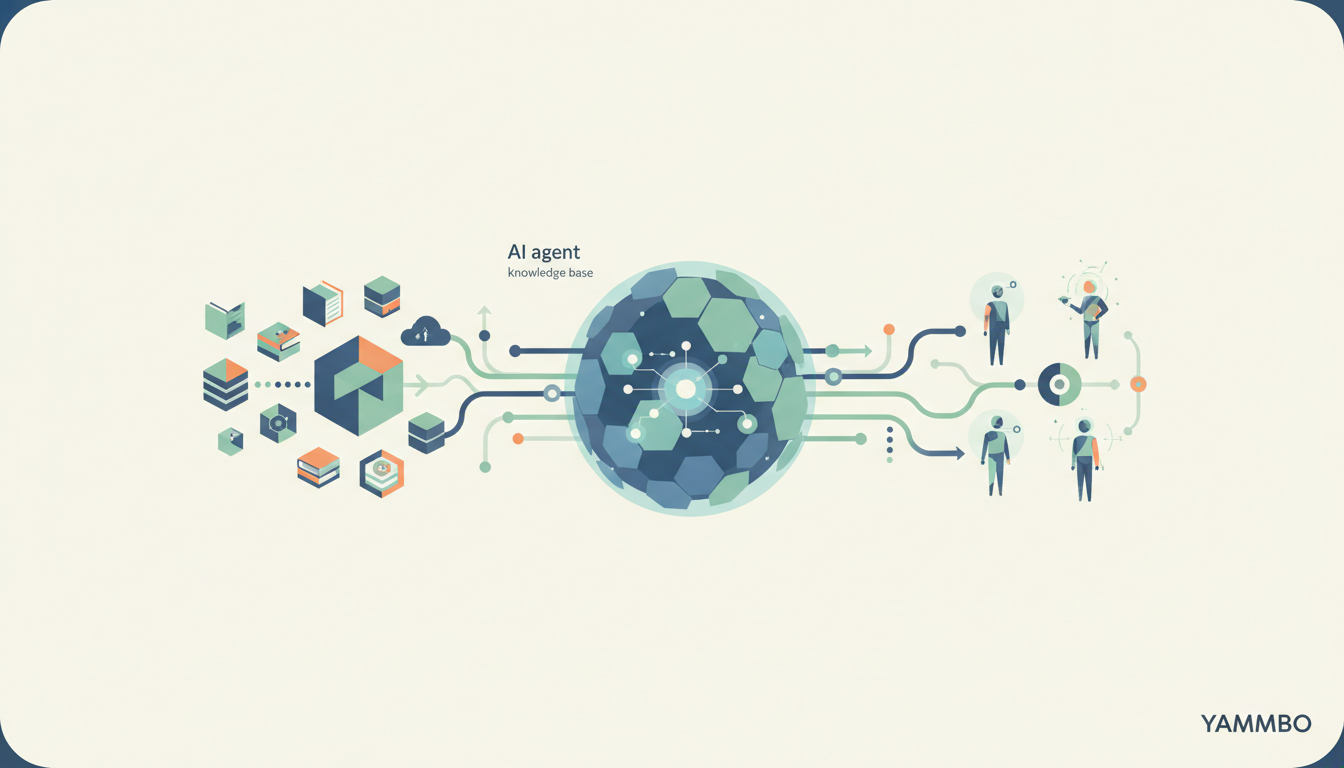
Large language models (LLMs) and the agents built upon them excel at conversational tasks and maintaining context within a session. However, their internal knowledge is limited to their training data. When an agent needs to answer questions based on your specific, proprietary documents—like internal runbooks, product specifications, or customer support guides—its built-in memory isn't enough. This tutorial guides you through implementing Retrieval Augmented Generation (RAG) by connecting your agent to an external knowledge base, specifically using DigitalOcean, and critically, teaches you how to validate that your agent is genuinely retrieving information, not just guessing.
Step 1: Prepare Your Environment and DigitalOcean Knowledge Base
Before integrating retrieval capabilities, you need a robust knowledge source and the tools to interact with it. For this tutorial, we'll use DigitalOcean's ecosystem, which provides a straightforward path to creating and managing knowledge bases.
Prerequisites:
A DigitalOcean account.
Access to DigitalOcean Spaces for storing your document corpus.
A DigitalOcean personal access token with the genai:read scope for API access.
The DigitalOcean command-line tool (doctl) installed and authenticated.
Basic familiarity with Python for developing the agent plugin.
An existing agent setup that can interact with DigitalOcean inference, as covered in foundational setup guides like Agent Deployment Basics.
Set Up Your Document Corpus in DigitalOcean Spaces:
Your knowledge base needs documents to draw from. DigitalOcean Spaces provides an object storage solution ideal for this. Create a new Space or use an existing one, then upload your relevant documents. For this example, let's assume you have a collection of internal runbooks, perhaps in PDF or Markdown format, that define error codes and their resolutions.
# Example: Uploading a document to a DigitalOcean Space
doctl spaces create my-agent-knowledge
doctl spaces upload /path/to/your/runbook-fm-4419.md my-agent-knowledge/runbook-fm-4419.md
Ensure your documents are structured clearly, as this will impact retrieval quality. Each document should ideally cover a specific topic or set of related information.
Create a DigitalOcean Knowledge Base:
Once your documents are in Spaces, you can create a Knowledge Base that indexes these files. This process involves pointing the Knowledge Base service to your Space and allowing it to process the documents for retrieval.
# Example: Creating a Knowledge Base from a DigitalOcean Space
# Replace 'your-space-name' and 'your-region' with your actual values
doctl genai knowledge-bases create --name "AgentRunbooksKB" --source-type "spaces" --source-config "region=your-region,space_name=your-space-name,prefix=your-document-folder/"
This command instructs DigitalOcean to create a knowledge base named "AgentRunbooksKB" and index all documents within the specified prefix in your Space. The indexing process might take some time depending on the volume of your documents. You can monitor its status using doctl genai knowledge-bases get AgentRunbooksKB.
Verification:
Confirm your Knowledge Base is active and has indexed your documents. You should see a status indicating "READY" and potentially a count of indexed documents. This confirms your external corpus is prepared for retrieval.
Step 2: Create a Negative Control Test to Prove Retrieval
A common pitfall in RAG implementations is assuming retrieval is working simply because the agent provides a correct answer. The model might be answering from its pre-trained general knowledge. To genuinely prove your RAG system works, you need a "negative control"—a set of questions that your agent cannot answer without accessing your specific knowledge base.
Design Unanswerable Questions:
Select information from your uploaded documents that is highly specific and unlikely to be part of any general-purpose LLM's training data. Good examples include:
Internal error codes (e.g., "What does error FM-4419 mean, and who is the on-call team for it?").
Proprietary product features or specifications.
Company-specific policies or procedures.
For our example, let's use the error code "FM-4419" which is defined only in our runbook document.
Run the Agent Without Retrieval:
Before you implement any RAG logic, ask your agent these carefully crafted questions. The expected outcome is that the agent will either:
State it doesn't know the answer.
Provide a generic or incorrect answer based on pattern matching or hallucination.
Record these interactions. This transcript serves as your negative control. It's crucial evidence that your test corpus contains genuinely unguessable information for the base model.
# Example interaction with your agent (before RAG is implemented)
User: What does error FM-4419 mean, and who do I page for it?
Agent: I'm sorry, but I don't have information on an error code named FM-4419. Could you provide more context or details?
Verification:
Ensure your agent demonstrably fails to answer your specific questions. If it provides a correct or plausible answer at this stage, your test questions are not sufficiently unique, and you need to refine them using even more obscure information from your private documents.
Step 3: Develop the Retrieval Plugin for Your Agent
The core of your RAG system is a plugin that acts as a bridge between your agent and the DigitalOcean Knowledge Base API. This plugin will take a user's query, send it to the Knowledge Base for relevant document chunks, and then integrate those chunks into the agent's context for generating a response.
Plugin Architecture Overview:
Your plugin will typically perform these steps:
Receive the user's query from the agent.
Call the DigitalOcean Knowledge Base Retrieve API with the query.
Parse the API response to extract relevant document snippets and their source metadata.
Format these snippets to be included in the agent's prompt, often with clear citations.
While the exact implementation will vary based on your agent's framework, here's a conceptual Python example demonstrating the interaction with the DigitalOcean Knowledge Base API:
def retrieve_from_knowledge_base(query: str) -> str:
"""
Queries the DigitalOcean Knowledge Base for relevant information.
"""
if not DIGITALOCEAN_TOKEN:
raise ValueError(“DIGITALOCEAN_TOKEN environment variable not set.”)
def agent_process_query(user_input: str):
if needs_external_knowledge(user_input): # Your agent’s logic to decide
retrieved_info = retrieve_from_knowledge_base(user_input)
# Combine retrieved_info with the original prompt for the LLM
llm_prompt = f”Based on the following information and your general knowledge:\n{retrieved_info}\nUser question: {user_input}”
response = call_llm(llm_prompt)
return response
else:
response = call_llm(user_input)
return response
Verification:
Ensure your plugin can successfully make API calls to DigitalOcean and parse the responses. You can test this by running the retrieve_from_knowledge_base function directly with a sample query and inspecting its output. It should return formatted content, ideally including source file information, or a clear message if no relevant data is found.
Step 4: Integrate the Plugin and Validate Retrieval
With your retrieval plugin developed, it’s time to connect it to your agent and re-run the negative control tests. This step is critical for confirming that your RAG system is not only integrated but also effectively improving your agent’s ability to answer specific, document-dependent questions.
Connect the Plugin to Your Agent:
Follow your agent’s documentation to integrate the Python plugin you developed in the previous step. This usually involves:
Placing the plugin file in the agent’s designated plugin directory.
Configuring the agent to recognize and load the new tool or skill.
Ensuring the necessary environment variables (like DIGITALOCEAN_TOKEN and KNOWLEDGE_BASE_ID) are accessible to your agent’s runtime.
For agents like Hermes Agent (v0.20.4, for example), this might involve defining the plugin in a configuration file and ensuring the Python script is executable within the agent’s environment.
Re-run Your Negative Control Tests:
Now, repeat the exact same questions you used in Step 2. This time, with the RAG plugin active, your agent should be able to retrieve the correct information from your DigitalOcean Knowledge Base and formulate an accurate answer.
# Example interaction with your agent (after RAG is implemented)
User: What does error FM-4419 mean, and who do I page for it?
Agent: Error FM-4419 indicates a critical database connection failure. The on-call team to page for this issue is the ‘Core Infrastructure Team’. (Source: runbook-fm-4419.md)
Notice the crucial difference: the agent now provides a specific, correct answer and, importantly, cites its source. This citation is a strong indicator that retrieval has occurred.
Verification:
Compare the agent’s responses to your negative control transcript. You should observe a clear improvement:
The agent now provides accurate answers to questions it previously failed.
The answers should directly reference information found only in your knowledge base.
Ideally, the agent should cite the specific document or chunk from which it retrieved the information. This transparency is key to validating RAG.
If the agent still struggles, review your plugin’s logic, the Knowledge Base indexing, and the quality of your source documents. Ensure the query sent to the Knowledge Base is clear and the retrieved chunks are sufficiently relevant and rich to answer the question.
Step 5: Refine and Expand Your RAG System
Establishing a validated RAG system is a significant achievement, but continuous refinement ensures its long-term effectiveness. Focus on these areas to enhance your agent’s retrieval capabilities.
Optimize Document Quality and Structure:
The foundation of effective RAG lies in your documents. Consider improving:
Granularity: Break down lengthy documents into smaller, focused chunks. This improves the precision of retrieval, as the system can pinpoint highly relevant sections without extraneous information.
Clarity: Ensure your content is unambiguous and consistently formatted. Well-structured documents lead to more accurate embeddings and better search results.
Enhance Retrieval Strategy:
Beyond basic retrieval, advanced techniques can significantly boost performance:
Hybrid Search: Combine semantic search (vector similarity) with traditional keyword search. This leverages the strengths of both approaches, covering both conceptual relevance and exact term matches.
Re-ranking: Implement a re-ranking step where a smaller, specialized model evaluates the initial set of retrieved documents to prioritize the most pertinent ones, further refining the context provided to the LLM.
Monitor and Evaluate:
Regularly assess your RAG system’s performance. Collect feedback on the agent’s answers, especially those relying on retrieval. Track metrics like retrieval precision (how often relevant documents are retrieved) and answer correctness. This iterative feedback loop is essential for identifying areas for improvement and adapting your system as your knowledge base grows and evolves.
Implementing RAG for your agent significantly enhances its ability to leverage your proprietary data, transforming it from a general conversationalist into a specialized expert. By following these steps and rigorously validating your retrieval mechanism, you can build a powerful, data-aware agent that provides accurate, source-backed answers. Explore more about building intelligent web applications and services with Yammbo at yammbo.com.