How Non-Linux Operating Systems Achieve Linux Application Compatibility
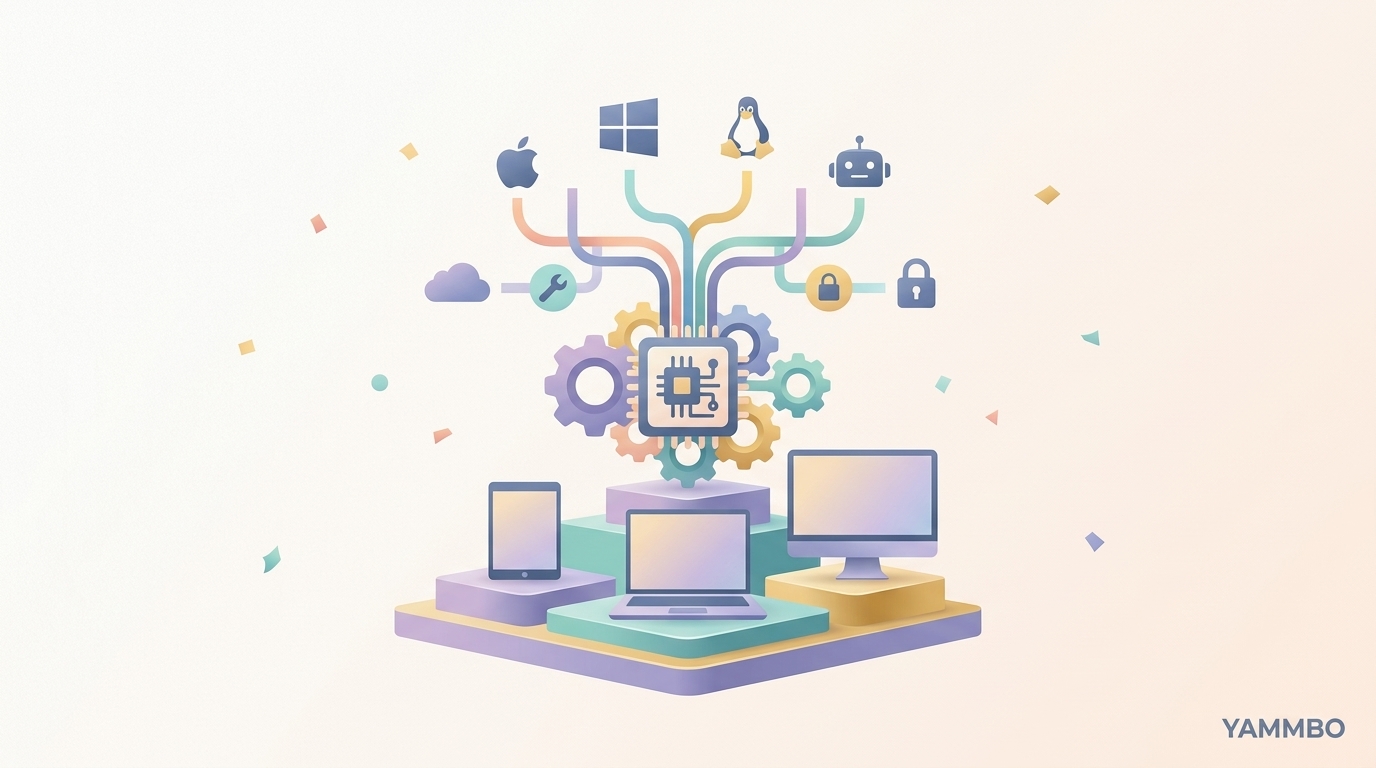
Running diverse software, especially Linux applications and containerization tools like Docker, often seems tied exclusively to the Linux kernel. However, some innovative operating systems demonstrate that this isn't always the case. This tutorial explores the underlying technical mechanisms that enable a non-Linux OS to achieve high compatibility with Linux software, allowing it to run everything from desktop applications to virtual machines and container engines.
Step 1: Laying the Foundation with a Custom Kernel and Minimalist Design
The journey to Linux application compatibility on a non-Linux operating system begins with its core: the kernel. Instead of adopting an existing kernel like Linux, such systems often develop their own from scratch. This approach allows for complete control over the system's architecture, enabling a highly customized and often minimalist design. For instance, a kernel might be written in a modern language like V, chosen for its fast compilation times, small binaries, and readability, which simplifies development and auditing.
A minimalist design philosophy is crucial. This often means avoiding complex init systems like systemd, opting for a simpler, single init process. Manual memory management, rather than relying on a garbage collector, ensures predictable performance and avoids interruptions during critical system calls or graphics rendering. By keeping the kernel small and focused, developers can ensure that nothing runs in the background unless explicitly started, leading to a lean, efficient operating environment. This foundational step dictates the overall performance and resource footprint of the OS.
Verification: A conceptually successful custom kernel boots rapidly, consumes minimal system resources (e.g., under 100 MB of RAM post-boot), and provides a stable base for further development.
Step 2: Implementing Core Linux Kernel Features for Compatibility
To run advanced Linux applications and tools like Docker, a non-Linux kernel must replicate certain fundamental features typically provided by the Linux kernel. This isn't about emulating the entire Linux kernel, but rather providing specific, critical functionalities that Linux applications expect. Key among these are namespaces and cgroups.
- Namespaces: These isolate system resources like process IDs, network interfaces, mount points, and user IDs, making processes believe they have their own isolated view of the system. This is fundamental for containerization, as it allows Docker containers to run in isolation from each other and the host system.
- Control Groups (cgroups): Cgroups manage and allocate system resources (CPU, memory, disk I/O, network) among groups of processes. Docker heavily relies on cgroups to enforce resource limits and ensure fair sharing between containers.
Beyond namespaces and cgroups, other essential features include overlayfs for efficient layered filesystems (critical for Docker image management) and seccomp (secure computing mode) for restricting an application's system call interface, enhancing security. By implementing these features natively within its own kernel, the custom OS can provide the necessary environment for complex Linux tools to operate without modification.
Verification: A basic Docker engine can initialize and run simple containers, demonstrating that the kernel's implementations of namespaces, cgroups, and related features are functional.
Step 3: Achieving System Call and Binary Format Compatibility
One of the most significant challenges in running Linux applications on a non-Linux OS is ensuring that the custom kernel can correctly interpret and respond to the system calls made by Linux binaries. Linux applications interact with the operating system kernel through a defined set of system calls (syscalls). For a non-Linux OS to run these applications natively, its kernel must provide an interface that mimics the Linux syscall ABI (Application Binary Interface).
This means that when a Linux binary makes a call like open(), read(), or write(), the custom kernel must have a corresponding function that behaves identically to its Linux counterpart. Additionally, the operating system must support the ELF (Executable and Linkable Format), which is the standard binary format for executables, object code, shared libraries, and core dumps on Linux. This allows the OS to load and execute Linux binaries directly.
Furthermore, targeting specific C standard libraries like musl libc and utilities like BusyBox (common in lightweight Linux distributions like Alpine Linux) can simplify the compatibility layer. By ensuring that the kernel correctly handles these system calls and binary formats, the custom OS enables native execution of Linux applications without the overhead of virtualization or emulation.
Verification: Standard, statically linked Linux binaries (e.g., a simple 'hello world' program compiled for Linux) execute directly and produce the expected output.
Step 4: Leveraging Existing Package Ecosystems
Building a complete software ecosystem from scratch is a monumental task. A pragmatic approach for a non-Linux OS aiming for Linux compatibility is to leverage existing, well-maintained Linux package repositories. This strategy involves making the custom OS compatible with the package format and libraries of a lightweight, security-focused Linux distribution, such as Alpine Linux.
By targeting a specific architecture's packages (e.g., Alpine Linux's aarch64 repositories for Apple Silicon devices), the custom OS can gain access to thousands of pre-compiled applications. This requires developing a package manager that can fetch, install, and manage these packages, resolving dependencies just as a native Linux system would. This allows users to install a wide array of applications, from web browsers like Chromium to image editors like GIMP, text editors like Sublime Text, and office suites like Gnumeric.
However, this approach comes with limitations. Compatibility is typically restricted to the targeted architecture (e.g., ARM64) and to packages that do not rely on specific Linux kernel features not yet implemented in the custom OS. Despite these constraints, it provides a robust and expansive software library, significantly enhancing the utility of the new operating system.
Verification: The custom package manager successfully installs a complex application (e.g., Chromium or GIMP) from the targeted repository, and the application launches and functions as expected.
Step 5: Integrating Virtualization and Emulation Layers
While native execution of Linux applications is a primary goal, the ability to run other operating systems or applications from different platforms further expands the utility of a custom OS. This is where virtualization and emulation layers come into play. QEMU, a generic and open-source machine emulator and virtualizer, can be integrated to boot other operating systems, even instances of the custom OS itself, within a window on the host system. This is particularly useful for testing, development, or running legacy software.
It's important to distinguish between hardware virtualization (where the guest OS runs almost natively on the CPU) and software emulation (where the CPU instructions of the guest are translated by QEMU). While hardware virtualization offers superior performance, software emulation still provides valuable functionality, especially in early development stages or for less demanding tasks.
Similarly, compatibility layers like Wine (Wine Is Not an Emulator) allow the custom OS to run Windows applications. Wine translates Windows API calls into POSIX calls on the fly, enabling many Windows programs to run directly on Unix-like systems, and by extension, on a custom OS that has achieved sufficient Linux compatibility.
Verification: QEMU successfully boots a guest operating system, and Wine can launch a simple Windows application, demonstrating the functionality of these compatibility layers.
Step 6: Enhancing Security with an OpenBSD-Inspired Model
Beyond mere functionality, a robust operating system must prioritize security. Drawing inspiration from highly secure systems like OpenBSD can significantly enhance the security posture of a custom OS. OpenBSD's security model includes features like pledge and unveil, which can be adopted to restrict application capabilities and file system access.
- Pledge: This system call allows a program to declare its future system call usage. Once a program